Editing Website and Blog Settings
When you create a new blog, it is fully ready for use in publishing new entries. However, there are a number of optional configuration settings you may wish to customize to your liking.
Movable Type 5 and 6
Starting in Movable Type 5, you can create multiple blogs in a single website. Website and blog settings are made separately. The setting fields are nearly the same for both websites and blogs, but to change settings for a specific blog, you must change settings on that particular blog, not on the website.
- Select [Website] or [Blog] under the Navigation
- Select [Settings] in the Side Menu
Movable Type 4
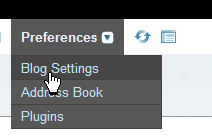
To edit a blog’s settings, visit Preferences > Blog Settings.