Manage Actions
You can add your profiles and manage your stream actions from “Edit Profile” page.
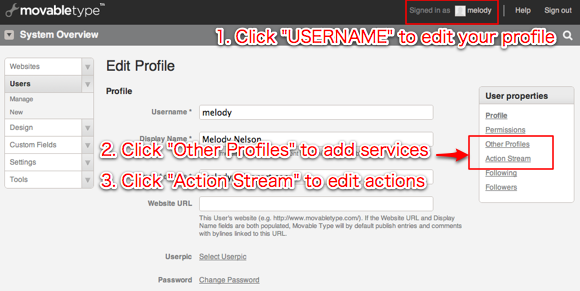
- Sign in to Movable Type, and click your username on the upper right hand side of the screen.
- You will be redirected to “Edit Profile” screen.
- In the “User properties” left menu,
- click “Other Profiles” to add a new profile from the other services.
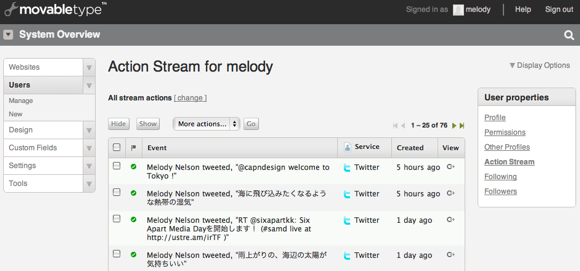
- click “Action Stream” to manage actions.
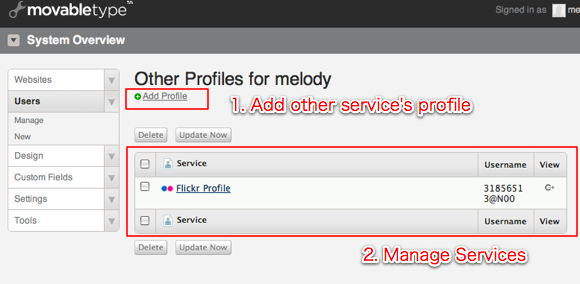
Add Profile
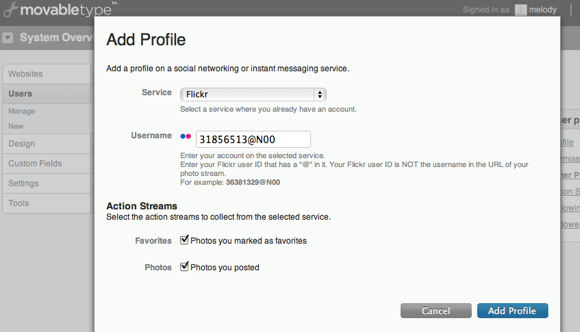
Click “Add Profile” to add profiles from the other services.
Manage Actions
Click “Action Stream” to manage actions. The action stream summary page lists stream actions in chronological order. You can change the status of actions to Hide/Show, and delete them.
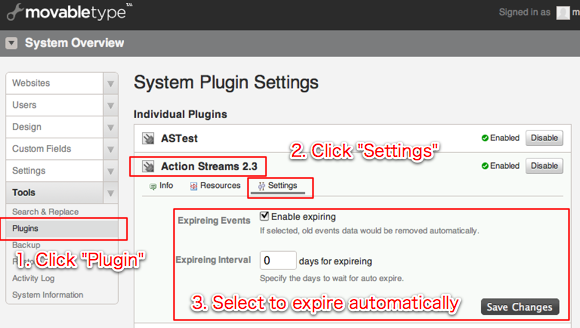
Delete actions periodically
You can configure Action Streams plugin to delete old actions periodically. This will prevent your database from being occupied by actions.